
Introduction
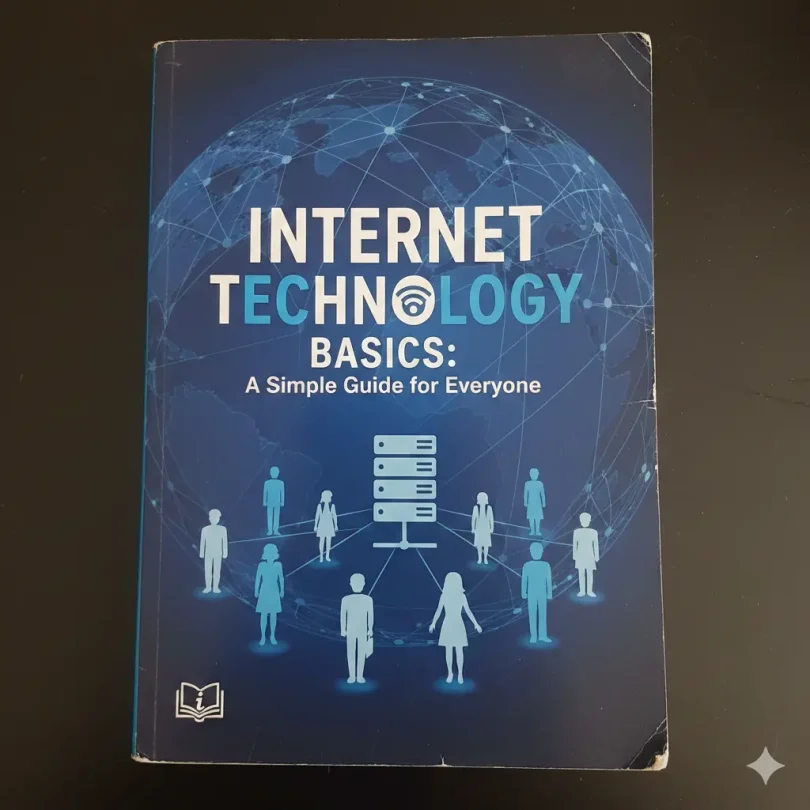
Internet technology basics are the foundation of how the modern digital world works. From sending an email to watching a video, everything you do online depends on simple systems working together behind the scenes. Many people use the internet every day, yet only a few understand how it really works. That is why learning internet technology basics is so important for students, freelancers, business owners, and anyone who uses a phone or computer.
In simple terms, the internet is a global network that connects millions of devices. It allows information to travel from one place to another in seconds. However, this does not happen by magic. It happens through cables, servers, software, and communication rules called protocols. When you open a website, a series of steps happens quietly in the background to bring that page to your screen.
Understanding these ideas helps you use technology more safely and more efficiently. You can also make better decisions when choosing tools, platforms, or online services. In addition, it builds a strong base for learning advanced topics like web development, cloud computing, and cybersecurity.
This guide is written in simple English so beginners can follow easily. At the same time, it includes enough depth for intermediate readers who want to improve their knowledge. By the end, you will have a clear picture of how the internet works and how you can use it better in daily life and business.
What is Internet Technology Basics?
Internet technology basics refers to the core concepts and tools that make the internet work. It includes the hardware, software, and rules that allow devices to connect and share information. These basics explain how data moves, how websites load, and how online services operate.
At a high level, the internet is made of three main parts. First, there are devices such as computers, smartphones, and servers. Second, there are connections like fiber cables, mobile networks, and Wi-Fi. Third, there are communication rules called protocols that make sure data is sent and received correctly.
For example, when you type a website address, your device sends a request to a server. The server then sends the website data back to you. All of this happens in a few seconds because the systems are designed to be fast and reliable.
By learning internet technology basics, you learn how these pieces fit together. This knowledge helps you understand errors, improve performance, and use online tools more wisely.
Why is Internet Technology Basics Important?
Learning internet technology basics is important because the internet touches almost every part of modern life. We use it for education, work, shopping, communication, and entertainment. When you understand how it works, you become more confident and more capable online.
First, it helps you stay safe. Many online risks come from not knowing how data is shared. When you understand how connections work, you can better protect your personal information.
Second, it improves your problem solving. If a website is slow or a connection drops, basic knowledge helps you find the cause and fix it faster.
Third, it supports your career. Many jobs today need at least basic digital skills. Knowing how the internet works gives you an advantage in fields like marketing, design, writing, and IT.
Finally, it allows you to use technology creatively. You can build websites, run online businesses, or create content with more confidence. All of this starts with a clear understanding of internet technology basics.
Detailed Step by Step Guide
Step 1 Understanding Devices
Every internet connection starts with a device. This could be a phone, laptop, tablet, or server. These devices have network cards that allow them to send and receive data.
Your device turns information into digital signals. These signals are then sent through a network. Without a device, there is no way to connect to the internet.
Step 2 Knowing How Networks Work
A network is a group of connected devices. At home, your Wi-Fi connects your phone and laptop. On a larger scale, internet service providers connect millions of users.
These networks pass data from one point to another. They use routers and switches to decide the best path for the data to travel.
Step 3 Learning About IP Addresses
Every device on the internet has an IP address. This is like a digital home address. It tells other devices where to send data.
When you visit a website, your request includes your IP address. The server uses it to send the information back to you.
Step 4 Understanding Domain Names
Domain names are the names of websites. They are easier to remember than IP addresses. A special system called DNS converts these names into IP addresses.
This process happens very fast. You type a name, and DNS finds the correct server.
Step 5 Knowing About Servers
Servers are powerful computers that store websites and online services. When you request a page, a server sends it to you.
Different servers handle different tasks, such as hosting, email, or video streaming.
Step 6 Learning Data Transfer
Data travels in small pieces called packets. Each packet has information about where it came from and where it is going.
Routers read this information and send packets along the best route until they reach the destination.
Step 7 Understanding Protocols
Protocols are rules for communication. Common ones include HTTP for web pages and SMTP for email.
These rules make sure data is sent correctly and securely.
Step 8 Knowing About Browsers
A browser is the software you use to view the web. It takes data from servers and turns it into pages you can see and interact with.
Examples include Chrome, Firefox, and Edge.
Step 9 Learning About Security
Security tools protect your data. This includes encryption, firewalls, and secure connections.
They keep hackers and attackers from reading or changing your information.
Step 10 Using Cloud Services
Cloud services store data on remote servers. You can access your files and apps from anywhere.
This is why you can log into the same account on different devices.
Benefits of Internet Technology Basics
- Helps you understand how online tools work
- Makes troubleshooting easier
- Improves digital safety
- Supports learning and career growth
- Allows better use of websites and apps
- Builds a base for advanced technology skills
Disadvantages and Risks
- Lack of knowledge can lead to security risks
- Too much dependence on online systems
- Data privacy issues
- Possible technical confusion for beginners
- Risk of misinformation
Common Mistakes to Avoid
Many people make simple mistakes when using the internet. One common mistake is ignoring security updates. These updates protect your device from new threats.
Another mistake is using weak passwords. Strong passwords are a basic but powerful defense.
People also forget to back up their data. If something goes wrong, important files can be lost.
Finally, some users trust every website they see. It is important to verify information and avoid suspicious links.
FAQs
What are internet technology basics?
Internet technology basics are the core ideas and tools that make the internet function. They include networks, devices, servers, and communication rules.
Do I need technical skills to learn this?
No, you only need basic computer knowledge. The concepts can be learned step by step.
How does data move online?
Data moves in packets through networks. Routers guide these packets to the correct destination.
What is a server?
A server is a computer that stores and sends information to other devices.
Why is security important?
Security protects your personal and business data from being stolen or damaged.
Can this knowledge help my career?
Yes, understanding internet systems supports many digital jobs and online projects.
Expert Tips and Bonus Points
Always keep your software updated. This reduces risks and improves performance.
Use secure connections when sharing sensitive data.
Learn one new digital skill each month. This builds confidence over time.
Practice by creating small projects like a simple website.
Stay curious and keep exploring how the internet works.
Conclusion
Learning internet technology basics is one of the smartest steps you can take in the digital age. It gives you control over how you use online tools and helps you stay safe in a connected world. When you understand how devices, networks, and servers work together, the internet becomes less mysterious and more useful.
This knowledge also saves time and reduces frustration. Instead of guessing why something is not working, you can think logically and find a solution. Whether you are studying, working, or running a business, these skills support your success.
As technology continues to grow, a strong foundation will help you adapt. New tools and platforms will appear, but the basic ideas will remain the same. By mastering these basics now, you prepare yourself for future changes.
Most importantly, learning about the internet empowers you. It allows you to create, share, and communicate with confidence. With a clear understanding of how things work, you can use the digital world to reach your goals and build something meaningful.